TLDR
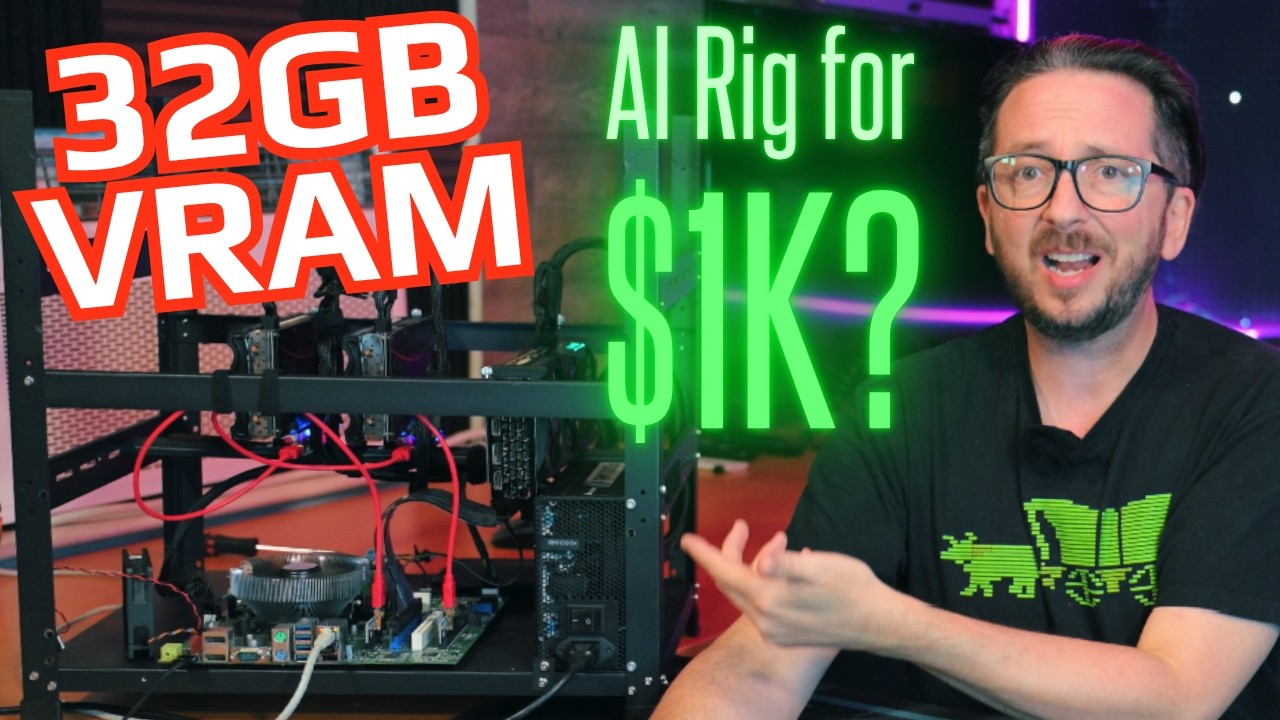
A Dell Optiplex motherboard can be transplanted into a custom frame to create a budget local AI rig for under $1000, supporting up to three GPUs. The build achieved 18.2-18.6 tokens per second on TG512 and lower idle power (55W) compared to a more expensive AM4 platform, making it a cost-effective option for local inference.
Key points
- The Optiplex motherboard can be harvested and mounted in a GPU rig frame using double-sided standoffs to accommodate non-standard layouts.
- Three 3060 GPUs (two 12GB, one 8GB) were installed, providing 32-36GB total VRAM for running large language models.
- Performance benchmarks showed 18.2-18.6 tokens per second on TG512 and prompt processing up to 2525 tokens/s for Gemma 4 26B, outperforming the AM4 platform in some metrics.
- Idle power consumption was 55W with three GPUs, significantly lower than the AM4 build, and can be further reduced with tuning.
- The total build cost was $997, with a base cost of $297 for the Optiplex motherboard, CPU, RAM, and adapter, plus $700 for GPUs, PSU, and frame.
- The iGPU (Intel HD 630) can be used for desktop virtualization, leaving the dedicated GPUs untouched for inference tasks.
- 32GB of system RAM is recommended for running a desktop alongside the inference stack, though 16GB is a compromise for dedicated use.
Tools mentioned
- Dell Optiplex 7050
- NVIDIA RTX 3060 (12GB and 8GB variants)
- Intel i7-7700
- DDR4 RAM (16GB or 32GB)
- 256GB NVMe SSD
- ATX motherboard PSU adapter
- 1000W power supply
- GPU rig frame
- Double-sided standoffs
Techniques
- Optiplex motherboard transplant using double-sided standoffs
- Performance governor mode for OS power management
- Desktop virtualization via iGPU passthrough
Takeaways
- A sub-$1000 local AI rig is achievable using a salvaged Optiplex motherboard and three 3060 GPUs.
- The Optiplex build offers lower idle power and competitive inference performance compared to a more expensive AM4 platform.
- Reusing existing components (Optiplex, RAM, etc.) can further reduce costs, and the iGPU enables desktop use without touching the dedicated GPUs.
Transcript (captions)
And this is an Optiplex. What? In times of need, look to your Optiplexes. And the Optiplex that we're going to be using today will be capable of supporting up to three GPUs, maybe. We are going to test out some 3060s and we're going to definitely look at some of the performance. Cool thing is we'll be able to benchmark this performance against what we saw recently with the AM4 performance for the same GPUs. Will it be faster? Will it be slower? What will the wattage be like? Huge hat tip to everybody who is a channel member, everybody who likes, subscribes, shares this out there. So, let's get started and let's put together possibly one of the weirdest builds that you've ever seen. Can you even fit three GPUs inside your Dell Optiplex? I mean, this is not something I've seen done before. I have a feeling I see a problem. That's no good. You've got to have access to that. That's where your adapter's going to be plugging in. If you just had three GPUs and they were all this size, okay, so that's in there and you've got access to all of these. Let me get a zip tie and show you what I was thinking. Yeah, and actually dangerous for your riser to potentially break off there. So, pretty quick you're going to find that most likely it's going to be spilling out of your case. But yeah, something along the lines like that was kind of what I was thinking originally. You also have gigantic chunky PSU that is thousand watt that is like I don't know what you going to do here. This is not really going to fit in there very nicely at all. So, yeah. Let's harvest this motherboard. And this is going to be my first Optiplex transplant that I've ever attempted, so this should be interesting. Mhm. All right. We got it out of there. So, this motherboard layout is not exactly a standard motherboard layout. So, the standoffs that we've got and the positions for the standoffs here are not going to be correct. However, we can get two mounted and that is the one here and the one here. And the rest of them, I'm going to show you how to solve this kind of a problem. This is the solution right here. And these are double-sided and also normal standoffs. So, the double-sided ones you can just pre-thread before you mount them. >> our supply >> And this adapter right here is really the secret sauce that allows this all to work. I've got a older fan, any 1151, as long as it comes with a back plate. I was going to actually use this really nice one, but I have lost, somewhere in here, the back plate. All of these parts, all of the setup guides, and a lot of additional information about what this capability set for this platform can look like can be found on digitalspaceport.com. It's best if you can salvage and just plug back in the items that came off of the motherboard. Keep your power button and everything like that, then it's really going to save you a lot of headache. So, we've got this put together, let's power it on. Looking good, sounds good. I think everything's fired up here. Perfect. The idle on this is about 55 W. That is with the three GPUs. And that is substantially better than what we saw on the AM4 platform. We did those tests very in-depth. So, if you're interested in that, go back, you can review that if you want to see the actual like running of all those tests and everything that was included in that. So, at TG512, we saw 18.2 tokens per second up to 18.6 at 4K and then falling down to 18.5 at 8K. Texture generation side, however, for Java 4, this is is interesting. Exactly the same. So, we got 68, 67, 65, and 64. That was at 512 to 8K again for the Gemma 4 26B A4B. The prompt processing on the Gemma 4 26B A4B Q4 Unsloth Quant at 1K was 2525. That's insane versus 1905 on the AM4 platform. That is actually a very substantial difference. Now, it does get closer and closer as we get to 16K. You can see that we're 3644 versus 3507. At 32K, we are hanging pretty close 3344 to 3216. And at 128K, we are 2079 to 2026. So, still edging out faster just like consistently somewhat faster. This is an Optiplex. What? On the prompt processing side for Quant 3.6 27B at Q4. Very much very close. So, at 1K, we were 626 to 624. At 16K, we were 1117 to 1055. And then at 128K, we were 761 to 713. So, a little bit faster with the lower idle wattage. I mean, we're talking 55 idle wattage without me running any tuning on it. And this is running actually in performance governor mode. So, on the OS side, I've got that set to the performance governor. So, I think this is very optimistic. I think you could actually tune this down and get it substantially lower on wattage. I'm shocked. I'm surprised. This is cheaper and it's apparently better. And when you see the price of this coming in at $997 with a base build cost of $297, that factors in you would need to purchase like all of those things including the i7 7700 and 16 GB of DDR4. 16 GB, we're looking at $40 for that. The i7 7700 is about $35. If you're actually just buying it for the mobo at any rate, the mobo is 17. If you want to buy the whole Optiplex online, those are usually in the 85 to $90 price range, or best yet, if you've just got an Optiplex laying around because honestly, if you're into nerdy homelab stuff, damn good chance. The 256 GB NVMe comes in at $30. The 7050 ATX motherboard PSU adapter, $10. 1000 W power supply, 100 bucks. GPU rig frame, it's $65. The cost of the GPUs, 250 for the 12 GBers and 200 for the 8 GBer. I would also recommend just getting more VRAM because then you end up with 36 total GB instead of 32 total GB. But that right there is a 1K machine. And again, remember the price for that AM4 platform was 1497. I think honestly, you could probably get that down to like 1250 if you didn't have things like the water cooler and if you just reuse parts because again, reuse what you've got. So, I thought this was very interesting. When I saw those results and I looked at the price of this, I was like, "Wow, that's actually really good." I mean, the capabilities that you can get for cheap still are good. I did end up putting in an additional 16 GB. Granted, I could have put in less, but I had it laying around, so this is now at 32 GB. One of the things you should probably consider is can you do additional things with that machine? And with 16 GB running a dedicated inference stack on it, it's going to be a little bit tight to do anything else. 16 GB is a compromise zone for homelabs. 64 of course is like the ideal for most homelabbers because you can like run almost everything under the sun. Having 32 GB on this system does give it the ability to run my desktop, which is actually where I'm recording this from right now. So, this is a Casio S instance. The Intel platform on the Optiplex and probably just any Intel platform, the iGPU is pretty kick ass. And the 630 is not great, but it's still a good iGPU. Am I gaming on it? No. Am I doing desktop stuff on it and it working perfectly fine? Absolutely. That's something to consider, especially when you're looking at desktop virtualization, because I'm using that to pass through to my Casio S instance, which means my GPUs are not touched by anything else out there. This is a very weird build. This is my Optiplex. This is my Optiplex. I spent too much time on that sleeping Optiplex. I love it. But, if you are looking for more information on how you can get up and running with your own local inference stack, you can follow along with some of the software guides we've got up here. And if you're interested in just general AI hardware reviews, information, builds, you can check out the review playlist that we've got here.
Jobs for this video
| Stage | Status | Attempts | Last error | Updated |
|---|---|---|---|---|
| summarize | done | 0 | — | 2026-07-07 02:25:10.555154+00:00 |
| summarize | done | 0 | — | 2026-07-07 02:25:10.531364+00:00 |
| transcript | done | 2 | — | 2026-07-07 02:24:45.484433+00:00 |
| transcript | dead | 5 | handler returned RETRY | 2026-07-07 01:09:48.117036+00:00 |
| transcript | dead | 5 | handler returned RETRY | 2026-07-06 22:18:35.240554+00:00 |
| metadata | done | 0 | — | 2026-07-06 22:02:34.075849+00:00 |