TLDR
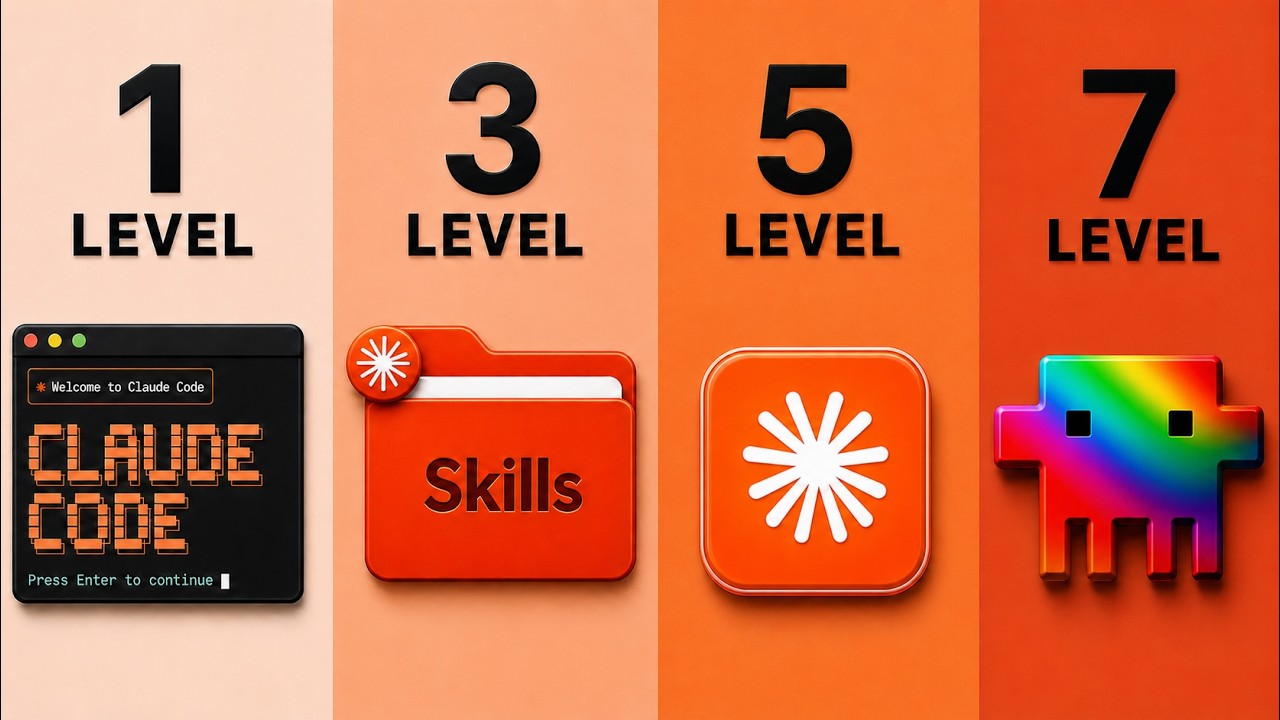
Jack Roberts presents a seven-level system for building beautiful websites with Claude Code, going from basic chatbot prompts to advanced design extraction using screenshots, skills, image generation, UI components, market data, and reverse-engineering winning designs. He emphasizes that most Claude-built websites fail because users lack a structured approach and provides concrete tools and resources to progress through each level.
Key points
- Level one (grab and go) treats Claude as a chatbot with minimal design quality, scoring 3/100.
- Level two uses screenshots and references from sites like Godly, Landbook, Awards, and Dribbble to guide Claude's design.
- Level three applies prepackaged design skills such as UI/UX Pro Max and Shadcn UI to improve visual quality.
- Level four integrates external image and video generation using tools like OpenArt and Pika Labs via MCP.
- Level five (UI snapping) copies pre-built UI components from libraries like 21st.dev, Codepen, and Magic UI.
- Level six uses market data and web scraping with Firecrawl to build websites that convert visitors into customers.
- Level seven (design extraction) asks Claude to reverse-engineer the design identity of a reference website, producing dramatically higher quality outputs.
- Claude 5 (Fable 5) is highlighted as a significant accelerator when combined with these techniques.
Tools mentioned
Techniques
- Design extraction
- UI snapping
- MCP integration
- Market data scraping
- Brand identity extraction
Takeaways
- Use structured levels—screenshots, design skills, external assets, and data—to avoid low-quality Claude websites.
- Design extraction (level seven) yields the best results by reverse-engineering a reference site's design identity.
- Combine Claude with image generators, UI libraries, and web scrapers to create professional, conversion-optimized websites.
- Claude 5 (Fable 5) amplifies quality when used with these systems.
Transcript (captions)
Claude code builds beautiful websites. However, 95% of them are complete garbage. And that's not your fault. It's because Claude doesn't have the correct skills or knowledge. That's like having Mozart with no piano. So, in this video, I'll cover the seven levels of building beautiful Claude code websites. How to make them look stunning. [music] How to make them look amazing every time. The huge mistakes that you need to avoid. And exactly how to progress to the next level so you get a simple replicable system that can build you beautiful websites even if you have never touched this before. And if you're new, my name is Jack. I built and sold my last tech startup with a gargantillian amount of customers. And now I'm building my own AI startups. And I share here the stuff that actually works. So, if you haven't already, grab that beautiful coffee and let's have straight in. [music] So, let's go through every single level of Claude code websites you need to progress to the top. And when you reach level seven in this video, you're going to be able to build Claude code websites like nobody else. It's definitely going to be worth your time investment. I'm going to share stuff that you probably never seen before. Now, here's the thing. Most websites themselves don't look great, especially ones built with Claude. If they don't use and pass the systems that I show you inside this video. I've to built so many of them. I've sold them. This is the stuff that's working right now. Now, we have seven levels. Each is worth more than the last. The big they get better the further they go up. So, they're stronger principles. They just keep compounding. But we have to start with the foundations. And what is that? The foundation is level one. Which effectively is what we call the grab and go. Basically, this user heads over to Claude and he treats it like a chatbot. So, they'll say something like, "Hey there, Claude. I want you to build for me a simple website or just a nice looking website that's cool about iPhones that are yellow. Build me one of those websites." Okay, they just come over there. Yeah, they say, "Claude, build me a website, please." And the issue with this is that it's basically using Claude like a chatbot. The design quality is like three out of a hundred. This is just like grabbing a designer to renovate one of your rooms in your house and saying, "Hey, make the room look nice." And most people use Claude this way, but that's completely okay because this is only level one. And just like that, we get the very first website. As you can see, it's got a floating iPhone. Not too much happening in terms of creativity. It's very, very kind of simple. You can see it's kind of classic AI website design feel to it. It's done it. It's basic. It would kind of do the job, but it's probably the most basic thing possible. And this is done purely with Opus 4.8. Level five is a strong, but this is a very, very basic first draft. But we can radically improve the quality of this by moving on to level two. And this is how you solve level one. You solve level two by giving it screenshots and references. Imagine, for example, having a designer, but instead of saying, "Hey, make it look nice." Instead, we get a beautiful sheet of paper and we say, "Hey, I saw this apartment across the street and I love what they did here with the garden. Could we replicate that?" And here's a few other examples. Effectively, what we do here is for level two user of Claude Code websites, I'm providing screenshots and references to help Claude make that design way better. They're going to show, not tell. Remember they say an image speaks a thousand words? Well, it's certainly true when it comes to Claude Code design as well, I must be honest. Now, your design quality of this level is about 10 out of 100. But wait till you see how much of a difference this actually makes. So, if you come down here and look at this, there's a few different websites you can go ahead and check here. Let's pull them up. We've got Godly, Landbook, Awards, and Dribbble. I'm going to put a link for everything I cover in this video down below in the description so you can use the assets. So, look, you've got godly.io, which is fantastic. And look at this. Like, let's say I look at these gorgeous websites. You can pick one from here. You've got Landbook, which is fantastic. We can search and find different beautiful examples, beautiful videos. These are websites that already look amazing. And we've got these award-winning websites. These are fantastic resources if you want a grab-and-go, find me something like this. Look, if I get if I grab Glido and like dashboard, okay? And I search for dashboards. Now, I'm going to get all these beautiful references of dashboards. That's how freaking cool this is. So, for example, I might really like the work of Halo Lab, right? I can click on this and I can mood board and get inspiration. So, I can copy the image, come back over to Claude like so, and come down to the chat and drop that one in there. Beautiful. And again, you can find different ideas, different things that you like, and it you know, it looks really cool. Grab inspiration and drop it in mood board. Then you can say to Claude, for example, "Hey there, I'd like you to update the website using this image as a reference style for how I'd like the website to look." And as you can see, what Claude's done now is actually looked at the reference image and started to build it on there. Now, you'd never give this website. Of course, you wouldn't. But the idea here is that people at level two are now starting to bring in and use images to actually influence the design architecture of their websites. And that takes us on to one of the biggest upgrades that you're going to have in the early levels, and it is going to be a game changer for you, and that is what we call design skills. So, you think about our design, right? We have got him in a room, which is fantastic. We have given him images to help explain, "Hey, this is the kind of thing that I want to." And we've even given him reference designs. Skills comes down to how good is the artist himself. Oh, is he eating crayons in the corner, or is he creating arts of work, you know, works of art that will be in museums for decades? And you're going to see just how much difference skills mean. Now, if you don't know, skills are Think of them as prepackaged sets of instructions that have been designed by basically design nerds or experts or teams that instruct our wonderful Mozart how to play the piano. It's kind of explained, "This is exactly how you create great design. This is what a website should look like. This is what a website should not look like." It explains all this difference. So, we have the raw intelligence, plus these really cool instructions. Now, what skills do we need to look at? Things like this. Again, I'm going to put a link down below for all of these. So, for example, let's open these up and I'll show you what they look like. So, front end design, we've got this one. Now, if you're not familiar, essentially, these are managed on a place called GitHub. GitHub is basically just fancy speak for place we store files. And a lot of design nerds or people who care about design have sat down and said, "Look, let's actually iterate, find out what works, and codify it into a skill." And look at this, almost 100,000 stars. Doesn't necessarily mean it's amazing, but it's really good. The UI/UX Pro Max skill is freaking awesome. Look at this, goes through loads of stuff, has loads of examples of 67 UI styles, 161 color palettes, font pairings, loads of stuff that make design amazing. And all you're going to do is come down, click on this code button, click on copy, head over to Cloud Code and say, "Hey, I want to go ahead, check out this skill, then download it, and add it to your skills." We're going to be using this when we build websites, okay? And all you can do is literally drop in the URL, come back over, and check out another one here. And essentially, you can go down all the different design skills. Get Cloud to check it out to make sure it's good and decent. Here's another great one of all, this is Shad in UI. This is a really cool system. And when you do that, Cloud will actually go over to that repository, grab the information, and turn it into a skill that you can later activate via Cloud Code. So, then, for example, if we run the test again, I can say, "Hey there, I'd like to use all the best skills and design principles to build me a beautiful website selling yellow iPhones." And I might just say, "Make sure that using all relevant skills that I've given you for building beautiful design." Okay, which is great. And one other skill I'm going to give it is one called power design. I did a lot of deep research on like, "What makes design amazing?" Uh this is for slides, but it applies to websites as well. So, I'm just going to copy this and give it in here as well, and drop this one in. And then, for good measure, why don't you go ahead and also give it a little bit of a screenshot so you can get a good idea of what great design looks like. There we go, copy this bad boy like so, come down, click copy, and then drop that into chat, and send Cloud on its way. And then, just like that, we now have the website from level three. Now, immediately, you can tell the difference between this and what we had on level one. We've even got the Apple logo, we've got the centralized color palette down there, we've got a font that looks a little bit more like a phone. It's floating up and down. It could be a lot better. I'd want a lot more in here. There's some stuff I would definitely change, but you can see that it's going in the right direction. It's even got this thing here from the Apple website, which is exactly the thing we're looking for. And as we scroll the website, you get to see it's a step up and it's got this Bento Box style step in the right direction, but not perfect. But, this I do think looks cool. Daybreak Canary Sunshine Honey Amber, different shades of yellow, bridge rock and roll, and we can buy our phones there. And that takes us nicely onto level four, where things seriously start to take up a step in terms of quality. But, if all this sounds like I'm speaking Spanish, I'm going to put a link down below for the full Hermes Agentic Masterclass and the full Clo Code Agentic Masterclass. It takes you through everything from foundation setup. If you've never used Clo before, this is the most comprehensive system that I've ever built for this topic. I I show you website stuff I've never shown anywhere else. Learn to set everything up, power systems, memory design systems, and even monetization. I'll put a link down below cuz you can grab that as well as the full Clo Code and Hermes Operating System. Just a link down below so you can go ahead and grab that. Now, it's important to bear in mind that when we really want to take a website to a new level, we have to think about things more than text and graphics. We have to think about image and video. And the best way to think about it in this instance is it's giving our wonderful artist tools. It's giving them the ability to add new things into an environment that they just simply did not have before. One of the tools that's caught my eye recently is OpenArt. Now, let me show you a couple of things we can do here. So, obviously, we can generate things like images, right? So, let's say in our website environment, we actually want to go ahead and create an iPhone. So, I'll explain why we're using OpenArt in a second, but let me just go ahead and build something so you can create a model. Click on Nanabanana 2. Let's come down here and I'm going to say something like a beautiful yellow iPhone. Okay, that's cool. And then let's just pick actually the ratio. So, the ratio I'm going to go down here, guys. Let's get a little bit of a wide shot. Let's do 21 by 9. Let's just grab this one here and we're going to put that in 2K. No need for 4K, 1K is way too low. Okay, beautiful. Come down here. Now, I've gone ahead and clicked two separate images I want to create. Usually, you want to do two to four. Now, you can build images directly in the editor itself. You can also connect Claude code to image generators via MCP, which is a real unlock for level four because essentially you can be things like, "Hey, go build me this website and generate for me beautiful images that will slot in and be relevant." And what Claude will do programmatically once you connect it is build out all those images for you. So, you just say it once and you get the programmatic creation of all these incredible assets. So, now we have this. One thing I might do is a little adjustment to this actually as I think I'm going to probably remove it and get a white background. So, let's go ahead and just adjust this and then we can play around with it, get ones that we like, and you can literally copy the image and drop it in. Now, one of the things about very good websites. I've got a couple of examples that we built in previous videos that just shows you how epic this can be. I mean, look at that. This is the kind of thing you can build with image and video with Claude code websites. Again, we have this one here. I'm just going to unmute this one cuz it's got a bit of background noise. We have this rocket website which was done with Fable 5 and we have this one here as well which is done with the model that we use. Funny story but I just went for dinner and my in the little hour that I was away from my desktop, I came back. Fable 5 I said, "Where's my phone right now?" I was like, literally it's crazy. So, I'm going to show you Fable 5 as well integrated in this. These principles apply regardless of the model. The model is just a a multiplier. It's an accelerate to it. Just like this rocket that's accelerating quickly into space. Now, one of the reasons that I really like OpenArt specifically as I want to draw your attention to the video because when you look at these websites, right? Sometimes, okay, it's going to be a video like I've done loads of animated videos on websites just like this for example. So, let's say for example we really like the look of this iPhone. Well, check this out. On the left-hand side, if you come over to video, what we could do is actually create a video with this iPhone in it. Now, if I come over to the homepage on OpenArt, you can see this really cool interface. We can pick anything we want to, replace the background, edit video, lip sync, VFX, smart shot, motion sync, whatever we want to do. I'm going to go ahead and click on video which is really cool. And let's say that I actually want to go ahead and pick a gray model. Let's use the Kling. Let's go ahead and choose Sedan 2.0. And then for the start frame, let's go ahead and grab this one like so and just say, "This is a product shot. Please rotate this phone for the video." All right, very very freaking cool. Come down, we're going to have the enhanced prompt on and then let's get a couple different variations. And again, you can put the outputs down here and the right dimensions that you want to. So, we're going to want this to be 16 by 9. You can pick the duration and also the size. And since I also want this to end on the same thing, let's actually have this one here as the end frame also, which is great. And then click on generate. And look at this, guys. It's now completed. If I just hover over this, for example, >> [music] >> literally perfect. Like the fact that it lands in the exact same location, I know sounds really obvious, but you would not believe usually how much faffery that takes. It is cheap faff activity, I'm telling you. And we've got two versions of it. It did it flawlessly and this could all be done directly with Claude for anything that we're building. So, then OpenArt itself has got some really cool stuff. You can direct loads of models if you want. User interface is freaking beautiful and here's a good sub comparison for brands that you may be familiar with in terms of what you can get in terms of image generation. Very cool. Now, this takes us very nicely onto level five, which is a hack that most people don't know and it is going to seriously level up the quality of any website. And this is called UI Snapping. So, the way that I want you to think about this, okay, is imagine we have our designer over here. We've got a a jeweler and he can go into any design environment that we have, any building you want to. And he can literally say, "Hey, I love the look of that fireplace." And he can just pick up the fireplace and copy and paste it in your environment. It is an exact copy of his own thing. And essentially, there are these libraries on the internet that have built these these sort of lines of code that are like basically publicly available and they share them online for others to use, which means that we don't need to re-engineer the wheel. We don't need to re-engineer this velvet design asset or this jar or this thing on the table. We can literally component, copy and paste and it's freaking beautiful. So, let's open them and check them out. We've got 21st.dev, Codepen, Magic UI, and Mobbin. Very, very, very freaking cool. So, 21st.dev, essentially you can come down and find all of these gorgeous things. So, let's come down and have a look at latest components. What I always recommend that you do, by the way, is you come to the left-hand side. You're looking for, essentially, if you come down to featured, these are usually some of the best ones. So, you see this toolbar, very cool. Side button, very cool. You can search for anything that you want to. These balloons are very cool. Say, for example, you want to have a Let's have a party, and you want these balloons to pop up. We could do that. Codepen is excellent. There's so many places you can get Codepen. Got Magic UI, again, so many great design libraries. And also Mobbin. Again, I'll put all the links so you can go ahead and grab them and start having a wonderful design. I love this website. This is really fresh. But, let's say, as for instance, you want to come over, you can grab this one. Launch balloons. All I'm going to do, literally, is come down to copy code. And head over to Claude. So, we can come back over to Claude and say, "Hey there, I'd like you to integrate this balloons feature at the bottom of the page." Integrate this, exactly. And then, literally, come down and just give it the actual URL itself. And then, Claude can actually integrate that into the website. Guys, and look at this. It's just added in these balloons. Scroll up. And it wants to skip. I think that is a really cool feature. But, the truth is, as cool as it is, none of it means anything if you don't have level six down. And that is data. Now, websites exist for a reason, right? They exist to create a customer, or to educate somebody on a specific thing. Usually, because we want them to take some kind of action. So, a beautiful website that does not actually turn viewers into buyers, it is like having a Ferrari with no engine. Looks freaking amazing on the front of the house, but doesn't really do anything, okay? So, the idea here is that we want to be able to actually find a data. And the cool news is that all the data to create a website that wins and converts is already out there. You just need to know how to find it. Now, to do this, I use a tool called Fire Crawl, which is the best scraper I found for getting information from the internet. It is literally ridiculous. It'll grab for you logos, typography, anything you could possibly imagine. Why is that relevant? Well, I'll give you an example. Hey there, I'd like to go ahead and to apple.com and use my Firecrawl integration. Let's go ahead and grab me the brand identity and then just upgrade this website in accordance with that. And literally, Firecrawl can go ahead and extract brand identities from anything, meaning that you can understand the color scheme and the different fonts that are used by specific websites. But what's even cooler than that is the kind of prompt that you can give it when you connect it with Claude. For example, I could say, "Hey there, I'm launching a roofing business in Leeds in the UK. What I would love you to do is go online and find for me the 10 most successful roofing businesses in London and I want you to find me 10 ones that are not doing very well. And I want you to do for me comprehensive research in terms of what do the winners have that the losers do not? What do they have in common? What is the order of their website? Do they all have an image and then a CTA? What is the CTA? How are they so successful? And you also need to come up with a scoring matrix to determine what a great website is and isn't. The output I would like from you at the end of this is a clear blueprint that I can pass to another model to actually create for me a winning formula for this website. Everything must be evidenced and if required, I also want you to cross-validate this with a different model. Make sure that you use the Firecrawl MCP to do that research. Now, I've done full videos on this breaking down this exact process. I'll put a link on screen if you want to go very deep on this, but literally, you just say this thing to Claude and it uses it and it brings data, guys. And I'm telling you right now, having had businesses that I think we had like 50,000 unique visitors every single month, it was very cool. We You literally need to understand what converts and what doesn't. And level six websites are the ones that are actually using external data, not copying, but looking at external data to build those websites out. And actually, guys, I'm just going to head into Glide on to copy this for you and add this to this resource pack. So, if you do want to get a prompt like that, you can as well. I'll include that in the resources for you. And this takes us onto the strongest level. Now, I'm telling you, I've built so many websites. They call me Dr. Website in this town, I tell you now. The best strategy that I have found to actually create gorgeous websites that convert is to do something called design extraction. I'll explain exactly what that is. So, think of it like this. Imagine our designer, okay, has found or we have found a perfect website, on this case, a building or a room that we like in an analogy, okay? And not only, okay, do we have the tools, the skills, the foresight, the imagery, but we can actually talk to the original creator. We can talk to the architect of it. So, essentially, what this means is that Claude doesn't always understand what great design is. And sometimes we don't even understand what great design is. We can't articulate them. We, you know, not everybody has the vocabulary to explain, you know, I want ample white space. Or there should be a golden ratio between this text Like there's You can codify these rules, but it sometimes it's more difficult for you to explain. So, for example, if you land on a website like, let's use this as an example, okay? Anti-gravity Google, okay? Check out this website. So, if I open this up, in my view, this is a brilliant website, genuinely. It's one page, one thought, which is really nice. It's It's got inter- interactivity, but it doesn't distract. You scroll down, there's animations, there's video, it's really crisp, it's clear. You have these things floating around, you have the text coming down, you have anti-gravity 2.0 here. This is a beautiful, gorgeous website. But maybe you like this website. You think, you know, I've got a tech product. Uh obviously, I don't want to copy anything, but I I like this vibe. Like, how do I get a model to understand what this is? Well, the idea is that we can actually ask Claude to extract the design identity. So, like, what, you know, what are the type What's the typography? What's the colors? What are the general design rules? And I spent hours building this for the specific purpose, and it gets crazy results. For example, even these websites here, this was built like like I'd build it in various different ways, but this whole thing here and here was built in the same way. I mean, look at this. This is gorgeous. This is fantastic. You know, it's subtle. It's got subtleties. It just understands certain design principles. So, to do this, I'm just going to grab a skill from my community that I built specifically for this under every AI automation. And on the left-hand side, I've got my building website sites blueprint. I'm going to come down and grab my design blueprint extractor. Now, if you don't have this, the easiest way to do this is literally explain what I just explained to you to Claude saying, "Hey, I want you to be able to create a blueprint and verify this so that I can do anything I need to." And then, to make this even more powerful, I'm going to show what this looks like with Claude 5. In other words, Fable 5. I'm going to come down here. Where is Fable? Come down to more models. It's not available. I need to restart my instance. Voilà, almost by magic, we should see Fable 5, which is fantastic. And then, you just attach the skill or just explain what you would like. I mean, it's basically prompt like, "Hey there, I'm going to give you a website. I would like to basically understand the design, and I'd like you to follow all the instructions in this file. Namely, go to this website, understand the typography, the design, and get it an extraction blueprint so that I can build a website that levels this up. And our website is going to be on selling beautiful phones." And then, we literally just grab the website, come back over, drop it in, and we're ready to go. And just like that, guys, this is what it's pulled together. And look at the difference compared to what we had earlier. This is night and day. It's chalk and cheese. It's ebony and ivory. It is crazy. It's given it a name. It's even managed to get this orb that is dynamically changing color. And it's got this beautiful text. This is fantastic. Five phones, no wrong answers. I mean, this is ridiculous. This is actually insane. Look at the quality. And this is one shot. I haven't done anything else than the exact system I just showed you. And this is where we're at with it. Very, very, very, very impressive. Now, this is just a fraction of what we can do with Fable 5. So, if you want to learn exactly how to take your website to a new level, you need to check out this video where I'll show you exactly how to do that step-by-step.
Jobs for this video
| Stage | Status | Attempts | Last error | Updated |
|---|---|---|---|---|
| summarize | done | 0 | — | 2026-07-06 02:25:50.299579+00:00 |
| transcript | done | 1 | — | 2026-07-06 02:23:51.282200+00:00 |
| metadata | done | 0 | — | 2026-07-05 22:01:31.616954+00:00 |